CI/CD on shanejarman.com
what's the optimal setup for AI efficiency?
One of the biggest shifts in how I work on this site is that I rarely write code directly anymore — I'll often hand a task to an AI agent like CODEX or Cursor, let it open a pull request, and then review the result. That workflow only holds up if there's a fast feedback loop: I need to see the real build, not just a diff. The CI/CD setup here is designed around exactly that.
Cloudflare Pages: Preview Builds on Every PR
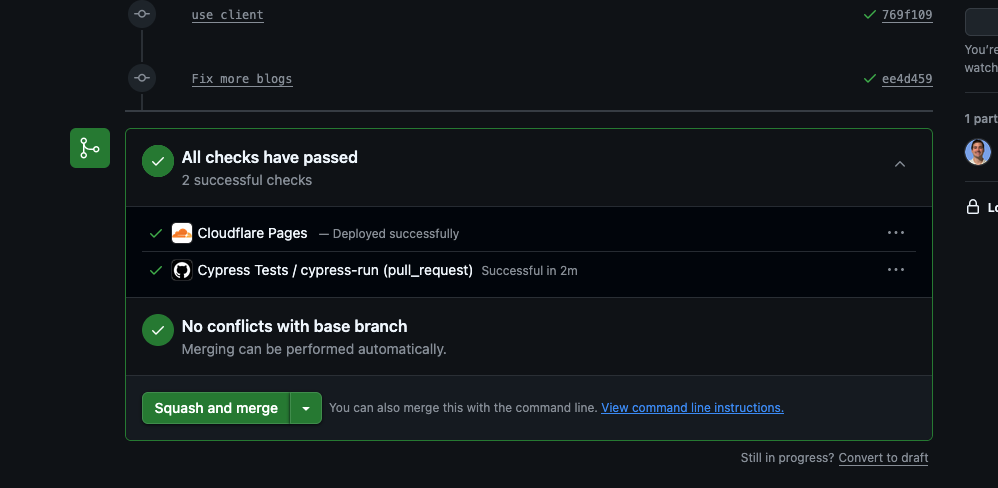
Cloudflare Pages builds and deploys a live preview for every pull request automatically. When an agent opens a PR — or when I push a branch myself — Cloudflare spins up a full production-equivalent deployment at a unique URL. I can click through the actual site, not just read code, before deciding whether to merge. This is the most important piece of the loop: it turns code review into site review.
Unit Tests with Vitest
The unit tests run with Vitest using jsdom and React Testing Library. They're focused on the core UI components — the pieces most likely to break silently when logic changes. Each test file isolates a single component and covers its key behaviors, including loading states, error states, and edge cases like formatting and data boundaries.
- Navbar: Navigation link rendering and active states, dark mode toggle, weather dropdown, mobile hamburger menu open/close, and alert badge display.
- ChatBox: Message sending, AI response display, loading state, error handling, conversation ID continuity, and scroll behavior.
- CurrentConditions: Weather data rendering across all fields (temperature, humidity, wind, pressure, rain), value formatting, and timezone-aware date display.
- ExperimentalAlerts: Alert list rendering, grouping by check name, most-recent-first ordering, and the expand/collapse toggle.
- RainDataTable: Rain entry table rendering, total calculation, time formatting in Eastern timezone, and null-state handling.
End-to-End Tests with Cypress
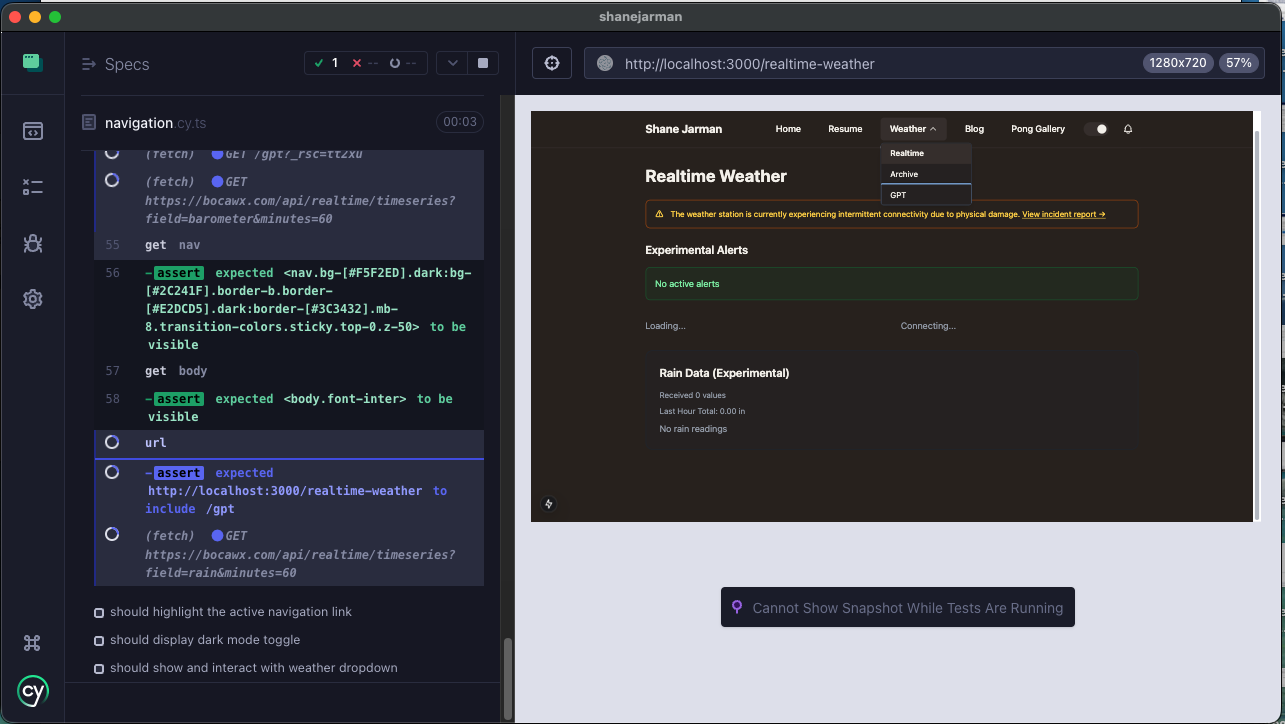
Cypress covers the things unit tests can't: does the app actually load, can you navigate around it, and does it hold up on mobile? The E2E suite runs against a full production build of the app and tests real browser behavior — not mocked components. Three spec files cover the main concerns.
- page-rendering.cy.ts: Visits every page (home, resume, weather, realtime weather, GPT) and confirms the title, navbar, and main content area render without errors. Also checks layout consistency at desktop and mobile viewports.
- navigation.cy.ts: Tests the navbar end-to-end: all links render, clicking them navigates to the right URL, active link highlighting is correct, the weather dropdown opens and routes correctly, and the dark mode toggle is present.
- responsive.cy.ts: Simulates a 375px mobile viewport to verify the hamburger menu appears, opens and closes correctly, exposes all nav items including the weather submenu, and navigates successfully.
GitHub Actions: Gluing It Together
A single GitHub Actions workflow runs on every pull request to main. It installs dependencies, runs the Vitest unit tests, builds the Next.js app for production, starts the server, and then runs the full Cypress suite against it. If anything fails, Cypress screenshots are uploaded as artifacts so I can see exactly what broke. The workflow enforces that both layers — unit and E2E — pass before a merge is considered.
# .github/workflows/cypress.yml (simplified)
- run: npm test -- --run          # Vitest unit tests
- run: npm run build              # Next.js production build
- run: npm start &                # Start the server
- run: npx wait-on http://localhost:3000
- run: npm run cypress:run        # Cypress E2E suite
The Full Loop
Putting it together: an agent opens a PR, GitHub Actions runs unit tests and E2E tests, and Cloudflare Pages deploys a live preview. If the tests pass and the preview looks right, I merge to main — and Cloudflare auto-deploys the production site. The whole thing means I can move fast, delegate freely to AI agents, and still catch regressions before they ship.